
A self-healing DevSecOps pipeline that scans, patches, and visualizes application security — automatically, on every push.
Software development today operates at an unprecedented speed. Continuous Integration (CI) and Continuous Deployment (CD) allow developers to push updates multiple times a day. However, this rapid development cycle introduces a serious challenge: security vulnerabilities can easily slip into the codebase without being detected.
Traditional security testing models, which rely on late-stage manual assessments, are no longer adequate. To overcome these challenges, DevSecOps integrates security into every phase of the DevOps pipeline.
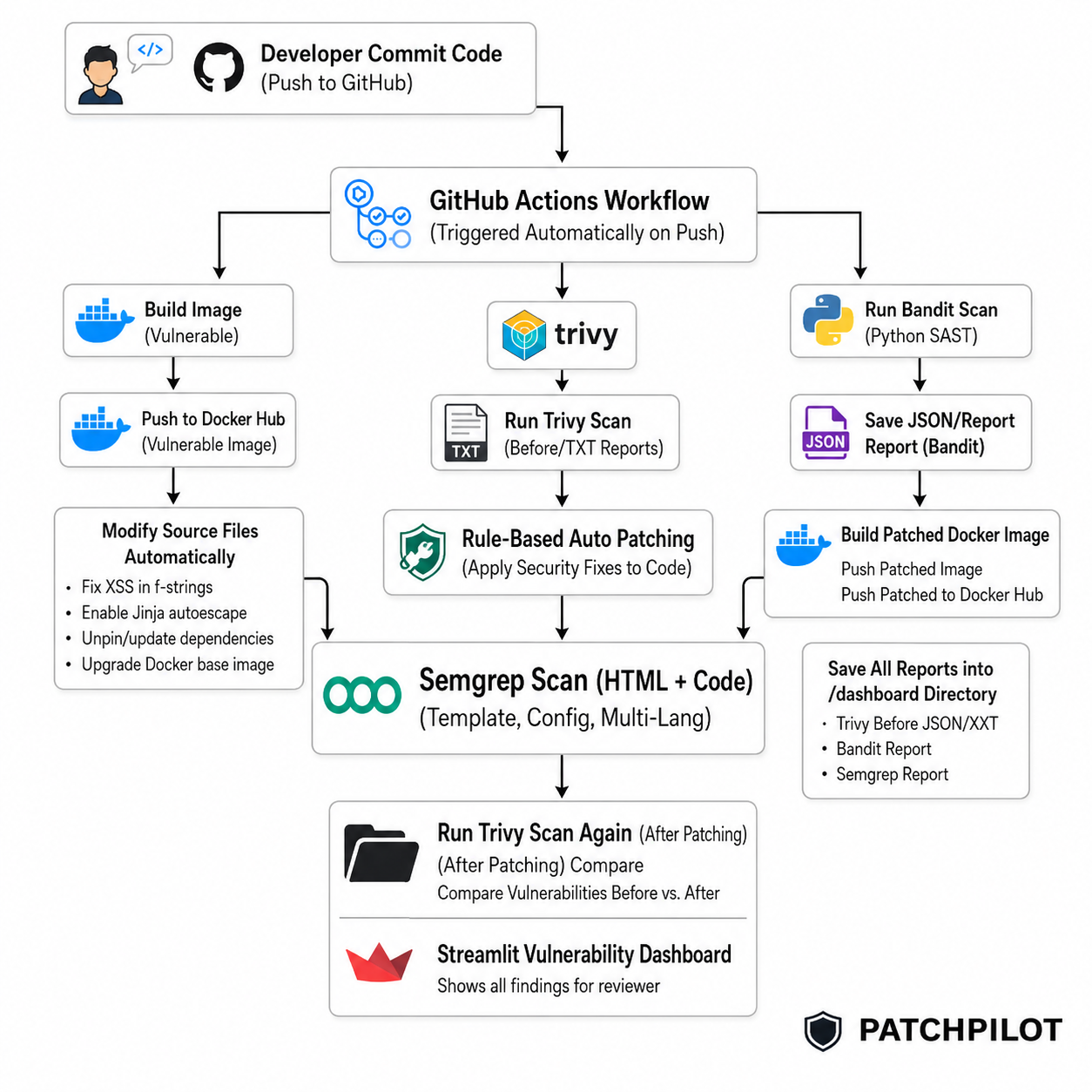
Welcome to PATCHPILOT, an automated DevSecOps pipeline that performs security scanning, rule-based patching, auditing, and visualization—without any manual effort. In this walkthrough, I will show you how to build a system that detects vulnerabilities immediately when developers push code, automatically takes corrective actions, and provides a beautiful dashboard for visualization.
What We Are Building
PATCHPILOT is a fully automated end-to-end DevSecOps pipeline using GitHub Actions. It integrates:
- Trivy for container and dependency vulnerability scanning.
- Bandit for Python Static Application Security Testing (SAST).
- Semgrep for rapid, multi-language pattern analysis. While Bandit handles our Python backend, Semgrep bridges the gap by scanning frontend code, configuration files, and HTML/Jinja2 templates. It uses highly customizable, rule-based matching to instantly catch dangerous misconfigurations—such as disabled autoescaping in templates or hardcoded secrets in YAML files—ensuring security across the entire application stack.
- A Custom Rule-Based Auto-Patching Engine to automatically fix known vulnerabilities (like XSS).
- A Streamlit Dashboard to visualize the Before/After impact of our automated patches.
Project Architecture
Here is a visual representation of how PATCHPILOT operates from the moment a developer commits code to the final vulnerability report:
$$Insert “PROJECT DIAGRAM” Image Here$$
> (Caption: PATCHPILOT Workflow Architecture)
Phase 1: Prerequisites & Setup
Before we build the pipeline, you need a few basic tools installed on your local machine.
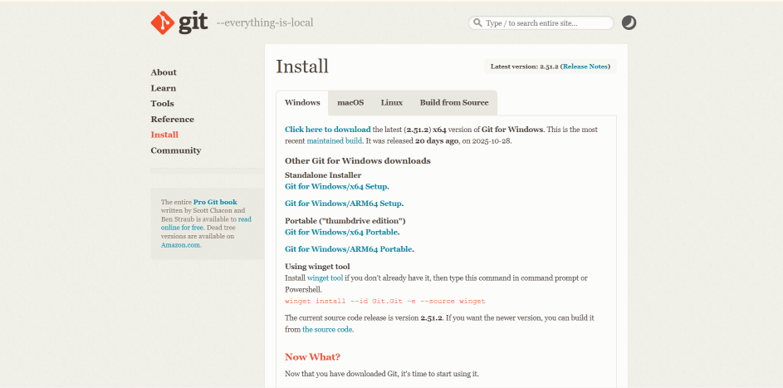
1. Install Git
If you don’t have Git installed, download it from the official website. Keep the default installation settings.
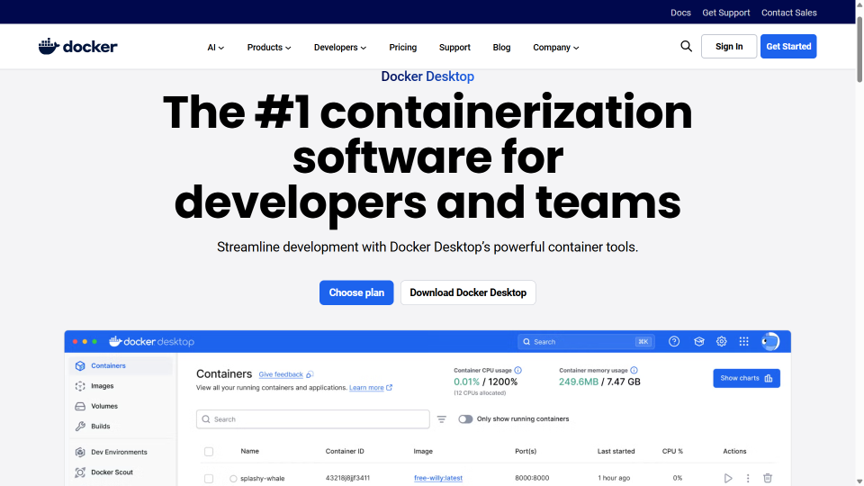
2. Install Docker Desktop
We will use Docker to containerize our application. Download it from Docker’s official site. Ensure WSL 2 is enabled if you are on Windows.
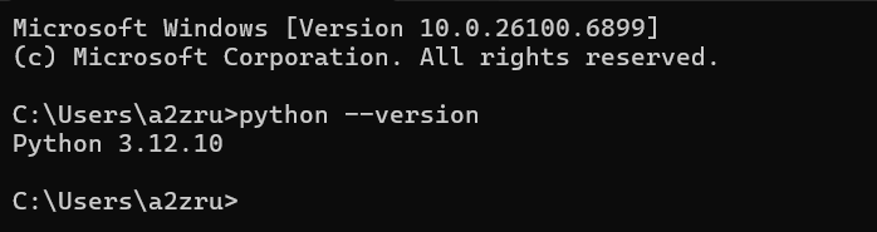
3. Install Python
Download Python 3.x from python.org. Important: Make sure to check the box that says “Add Python to PATH” during installation.
Phase 2: GitHub Repository & Secrets Setup
1. Create a New Repository
- Log in to GitHub and create a new repository.
- Name it
patchpilot. - Set it to Public and check Initialize with README.
2. Configure GitHub Secrets
Our GitHub Actions pipeline needs to push Docker images to Docker Hub. We need to store your credentials securely.
- Go to your repository Settings -> Secrets and variables -> Actions.
- Click New repository secret.
- Add the following secrets:
DOCKER_USERNAME: Your Docker Hub username.DOCKER_PASSWORD: Your Docker Hub password or access token.

Phase 3: Project Folder Structure
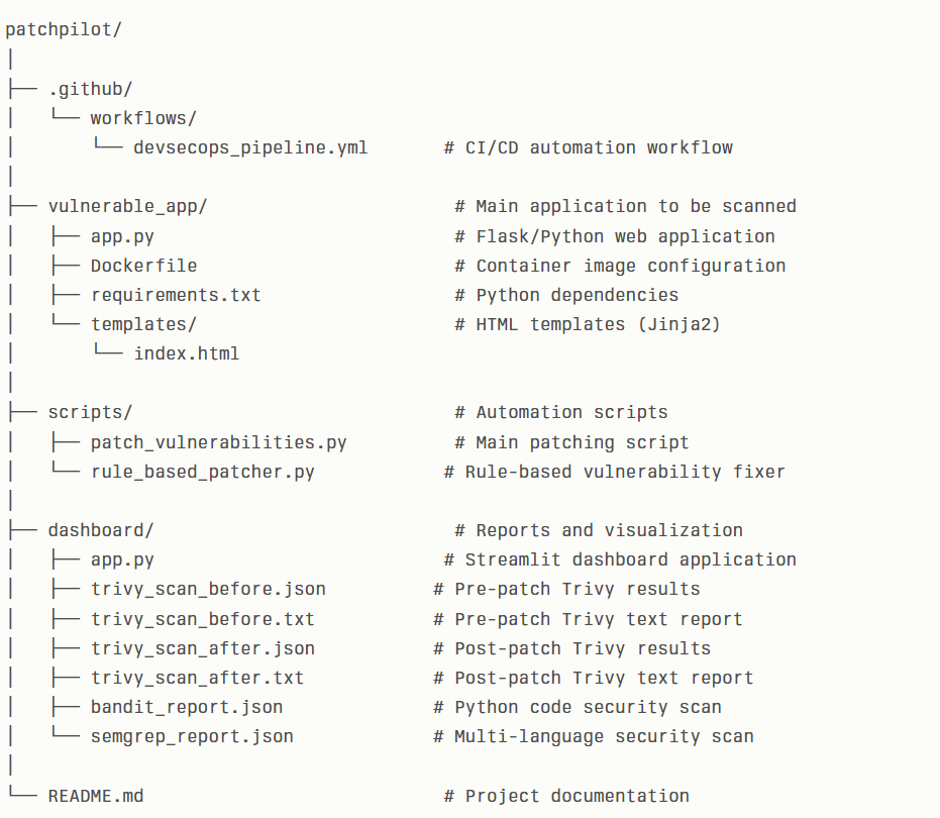
Open your terminal or PowerShell and run the following commands to create the core directory layout for PATCHPILOT:
New-Item -ItemType Directory -Path .\patchpilot\.github\workflows -Force
New-Item -ItemType Directory -Path .\patchpilot\vulnerable_app\templates -Force
New-Item -ItemType Directory -Path .\patchpilot\scripts -Force
New-Item -ItemType Directory -Path .\patchpilot\dashboard -Force
Set-Location .\patchpilot
Phase 4: Building the CI/CD Pipeline
The brain of PATCHPILOT is the GitHub Actions workflow. Navigate to .github/workflows/ and create a file named devsecops_pipeline.yml.
Copy and paste the following configuration. (Note: Replace rupamgit123 with your actual Docker Hub username in the ‘Define Image Tags’ step).
name: DevSecOps Pipeline

on:
  push:
    branches:
      - main

jobs:
  build-and-scan:
    runs-on: ubuntu-latest
    permissions:
      contents: write
    steps:
      - name: Checkout Repository
        uses: actions/checkout@v4

      - name: Set up Python
        uses: actions/setup-python@v5
        with:
          python-version: '3.x'

      - name: Set up Docker Buildx
        uses: docker/setup-buildx-action@v3

      - name: Set up QEMU
        uses: docker/setup-qemu-action@v3

      - name: Login to Docker Hub
        uses: docker/login-action@v3
        with:
          username: ${{ secrets.DOCKER_USERNAME }}
          password: ${{ secrets.DOCKER_PASSWORD }}

      - name: Get current commit SHA
        id: commit
        run: echo "SHA=$(git rev-parse --short HEAD)" >> $GITHUB_OUTPUT

      - name: Define Image Tags
        id: tags
        run: |
          echo "VULN_IMAGE_TAG=rupamgit123/autoshield-vulnerable-app:${{ steps.commit.outputs.SHA }}" >> $GITHUB_OUTPUT
          echo "PATCHED_IMAGE_TAG=rupamgit123/autoshield-patched-app:${{ steps.commit.outputs.SHA }}" >> $GITHUB_OUTPUT

      # --- BEFORE PATCHING ---
      - name: Build Vulnerable Docker Image
        run: |
          docker build -t ${{ steps.tags.outputs.VULN_IMAGE_TAG }} ./vulnerable_app
          docker push ${{ steps.tags.outputs.VULN_IMAGE_TAG }}

      - name: Run Trivy Scan (Vulnerable Image)
        uses: aquasecurity/trivy-action@master
        with:
          image-ref: ${{ steps.tags.outputs.VULN_IMAGE_TAG }}
          format: 'json'
          output: 'dashboard/trivy_scan_before.json'
          severity: 'CRITICAL,HIGH'
        env:
          TRIVY_NO_PROGRESS: 'true'

      - name: Save Vulnerable Scan Report (JSON)
        uses: actions/upload-artifact@v4
        with:
          name: trivy_scan_before_json
          path: dashboard/trivy_scan_before.json

      - name: Run Trivy Scan (Vulnerable Image - Text Report)
        uses: aquasecurity/trivy-action@master
        with:
          image-ref: ${{ steps.tags.outputs.VULN_IMAGE_TAG }}
          format: 'table'
          output: 'dashboard/trivy_scan_before.txt'
          severity: 'CRITICAL,HIGH'
        env:
          TRIVY_NO_PROGRESS: 'true'

      - name: Save Vulnerable Scan Report (TXT)
        uses: actions/upload-artifact@v4
        with:
          name: trivy_scan_before_txt
          path: dashboard/trivy_scan_before.txt

      # --- SAST Scans ---
      - name: Run Bandit SAST Scan
        run: |
          pip install bandit
          bandit -r ./vulnerable_app --severity-level HIGH --confidence-level HIGH -f json -o dashboard/bandit_report.json || true
        working-directory: ${{ github.workspace }}

      - name: Run Semgrep SAST Scan
        id: semgrep_scan
        run: |
          pip install semgrep
          semgrep scan --config auto --autofix --sarif --output semgrep_results.sarif || true
        continue-on-error: true

      - name: Convert Semgrep SARIF to JSON
        run: |
          mv semgrep_results.sarif dashboard/semgrep_report.json || true
        continue-on-error: true

      # --- PATCHING PROCESS ---
      - name: Run Patching Script (Unpin requirements.txt & modify code)
        run: |
          python scripts/patch_vulnerabilities.py

      - name: Modify Dockerfile for Patched Image (Base OS Upgrade)
        run: |
          sed -i 's/FROM python:3\.8-slim-buster/FROM python:3.11-slim-bookworm/' ./vulnerable_app/Dockerfile || true

      # --- AFTER PATCHING ---
      - name: Build Patched Docker Image
        run: |
          docker build -t ${{ steps.tags.outputs.PATCHED_IMAGE_TAG }} ./vulnerable_app
          docker push ${{ steps.tags.outputs.PATCHED_IMAGE_TAG }}

      - name: Run Trivy Scan (Patched Image)
        uses: aquasecurity/trivy-action@master
        with:
          image-ref: ${{ steps.tags.outputs.PATCHED_IMAGE_TAG }}
          format: 'json'
          output: 'dashboard/trivy_scan_after.json'
          severity: 'CRITICAL,HIGH'
        env:
          TRIVY_NO_PROGRESS: 'true'

      - name: Save Patched Scan Report (JSON)
        uses: actions/upload-artifact@v4
        with:
          name: trivy_scan_after_json
          path: dashboard/trivy_scan_after.json

      - name: Run Trivy Scan (Patched Image - Text Report)
        uses: aquasecurity/trivy-action@master
        with:
          image-ref: ${{ steps.tags.outputs.PATCHED_IMAGE_TAG }}
          format: 'table'
          output: 'dashboard/trivy_scan_after.txt'
          severity: 'CRITICAL,HIGH'
        env:
          TRIVY_NO_PROGRESS: 'true'

      - name: Save Patched Scan Report (TXT)
        uses: actions/upload-artifact@v4
        with:
          name: trivy_scan_after_txt
          path: dashboard/trivy_scan_after.txt

      - name: Commit and Push Reports
        uses: stefanzweifel/git-auto-commit-action@v5
        with:
          commit_message: "docs: Automated scan reports for ${{ steps.commit.outputs.SHA }}"
          branch: main
          file_pattern: 'dashboard/trivy_scan_*.json dashboard/trivy_scan_*.txt dashboard/bandit_report.json dashboard/semgrep_report.json'
$$Insert Figure.8.7.1: Preparing CICD pipeline here$$
Phase 5: The Auto-Patching Scripts
$$Insert Figure.8.8.1: Scripts folder overview here$$
Navigate to the scripts/ folder. We will create our automated remediation script here. Create a file named patch_vulnerabilities.py. This script reads the Bandit and Semgrep reports and injects security fixes directly into the codebase.
# scripts/patch_vulnerabilities.py
import json
import re
import os

# Define paths for all reports
DASHBOARD_DIR = "./dashboard"
BANDIT_REPORT_PATH = os.path.join(DASHBOARD_DIR, "bandit_report.json")
SEMGREP_REPORT_PATH = os.path.join(DASHBOARD_DIR, "semgrep_report.json")
APP_CODE_BASE_PATH = "./vulnerable_app"

def fix_reflected_xss_in_fstring(code_lines, line_number):
    """Rule to fix a specific XSS pattern by wrapping variables in escape()"""
    line_index = line_number - 1
    original_line = code_lines[line_index]

    match = re.search(r'\{\s*([a-zA-Z_][a-zA-Z0-9_]*)\s*\}', original_line)
    if not match:
        print(f"  -    Rule for XSS couldn't find a variable to escape on line {line_number}.")
        return None, None

    variable_to_escape = match.group(1)
    new_line_content = original_line.replace(f"{{{variable_to_escape}}}", f"{{escape({variable_to_escape})}}")
    code_lines[line_index] = new_line_content

    # Ensure 'escape' is imported
    has_import = any("from markupsafe import escape" in line for line in code_lines)
    if not has_import:
        for i, line in enumerate(code_lines):
            if line.strip().startswith("from") or line.strip().startswith("import"):
                code_lines.insert(i, "from markupsafe import escape\n")
                break
        else:
             code_lines.insert(0, "from markupsafe import escape\n")

    print(f"  -    Patched XSS on line {line_number} by escaping '{variable_to_escape}'.")
    return "".join(code_lines), new_line_content

def fix_sql_injection(code_lines, line_number):
    # Example placeholder for SQL Injection logic
    return None, None

def fix_jinja_xss(code_lines, line_number):
    """Fixes autoescape being disabled in Jinja2 templates."""
    line_index = line_number - 1
    original_line = code_lines[line_index]
    if "autoescape false" in original_line:
        new_line_content = original_line.replace("autoescape false", "autoescape true")
        code_lines[line_index] = new_line_content
        print(f"  -    Patched Jinja2 XSS on line {line_number} by enabling autoescape.")
        return "".join(code_lines), new_line_content
    return None, None

# --- Rulebook ---
FIX_RULES = {
    "B608": fix_sql_injection,
    "B703": fix_reflected_xss_in_fstring,
    "jinja2.security.autoescape-off.autoescape-off": fix_jinja_xss,
}

def apply_fixes(file_path, vulnerabilities, code_lines):
    modified_code = None
    original_code_for_file = list(code_lines)
    for vuln in vulnerabilities:
        vuln_code = vuln['id']
        line_num = vuln['line']
        if vuln_code in FIX_RULES:
            print(f"   Found '{vuln_code}' in {file_path} on line {line_num}. Attempting fix.")
            fix_function = FIX_RULES[vuln_code]
            new_code_content, applied_change = fix_function(original_code_for_file, line_num)

            if new_code_content:
                modified_code = new_code_content
                original_code_for_file = modified_code.splitlines(keepends=True)
    return modified_code

def main():
    print("---    Starting Rule-Based Remediation ---")
    files_to_patch = {}

    # Process Bandit Report
    try:
        if os.path.exists(BANDIT_REPORT_PATH):
            with open(BANDIT_REPORT_PATH, 'r') as f:
                bandit_report = json.load(f)
            if bandit_report.get('results'):
                for vuln in bandit_report['results']:
                    file_path = vuln['filename']
                    if file_path not in files_to_patch:
                        files_to_patch[file_path] = []
                    files_to_patch[file_path].append({'id': vuln['test_id'], 'line': vuln['line_number']})
    except (FileNotFoundError, json.JSONDecodeError):
        pass

    # Process Semgrep Report
    try:
        if os.path.exists(SEMGREP_REPORT_PATH):
            with open(SEMGREP_REPORT_PATH, 'r') as f:
                semgrep_report = json.load(f)
            if semgrep_report.get('results'):
                for vuln in semgrep_report['results']:
                    file_path = vuln['path']
                    if file_path not in files_to_patch:
                        files_to_patch[file_path] = []
                    files_to_patch[file_path].append({'id': vuln['check_id'], 'line': vuln['start']['line']})
    except (FileNotFoundError, json.JSONDecodeError):
        pass

    if not files_to_patch:
        print("   No patchable vulnerabilities found.")
        return

    for file_path, vulnerabilities in files_to_patch.items():
        print(f"\nProcessing file: {file_path}")
        try:
            with open(file_path, 'r') as f:
                code_lines = f.readlines()
            modified_content = apply_fixes(file_path, vulnerabilities, code_lines)
            if modified_content:
                with open(file_path, 'w') as f:
                    f.write(modified_content)
                print(f"   Successfully patched {file_path}.")
        except FileNotFoundError:
            print(f"  -    Could not find file {file_path} to patch.")

if __name__ == "__main__":
    main()
$$Insert Figure.8.8.2 / Figure.8.8.3: rule_based_patcher.py / patch_vulnerabilities.py overview here$$
Phase 6: Creating Blank Dashboard Files
Before the pipeline runs for the first time, we need to create empty JSON and TXT placeholder files so the pipeline doesn’t throw “File Not Found” errors.
Run these commands in PowerShell from your project root:
Set-Content -Path ".\dashboard\trivy_scan_before.json" -Value '{"Results": []}'
Set-Content -Path ".\dashboard\trivy_scan_before.txt" -Value ""
Set-Content -Path ".\dashboard\trivy_scan_after.json" -Value '{"Results": []}'
Set-Content -Path ".\dashboard\trivy_scan_after.txt" -Value ""
Set-Content -Path ".\dashboard\bandit_report.json" -Value '{"results": []}'
Set-Content -Path ".\dashboard\semgrep_report.json" -Value '{"results": []}'
Phase 7: Add Your Application
Now, paste your application files inside the vulnerable_app/ folder. This should include your app.py, Dockerfile, requirements.txt, and any templates/ your application uses.
Phase 8: Initialize Git and Push to GitHub
Initialize the repository, commit your files, and push them to your newly created GitHub repo.
git init
git add .
git commit -m "Added PATCHPILOT application and initial setup"
git branch -M main
git remote add origin [https://github.com/your-username/patchpilot.git](https://github.com/your-username/patchpilot.git)
git push -u origin main
Check GitHub Actions
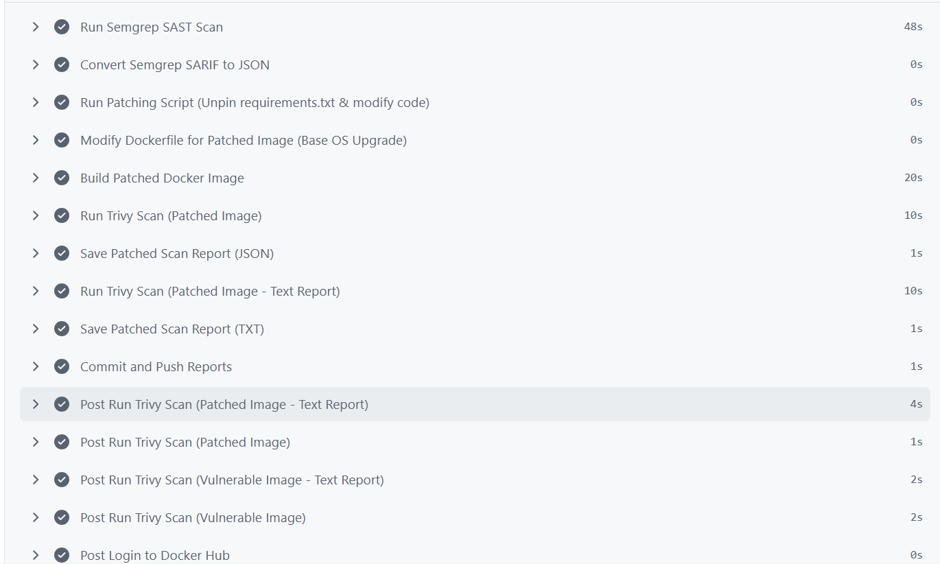
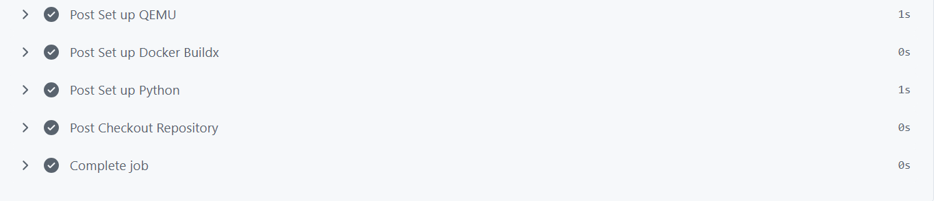
As soon as you push your code, GitHub detects it and starts the pipeline automatically. It will:
- Build the vulnerable image.
- Scan with Trivy, Bandit, and Semgrep.
- Run the Auto-Patching script.
- Rebuild the patched image.
- Save and commit the new reports.
Phase 9: Visualizing Results with Streamlit
Once the pipeline finishes, pull the latest changes to get the generated vulnerability reports to your local machine:
git pullIf you have created a Streamlit application (app.py) inside your dashboard folder, you can run it to visualize your results!
cd dashboard
streamlit run app.py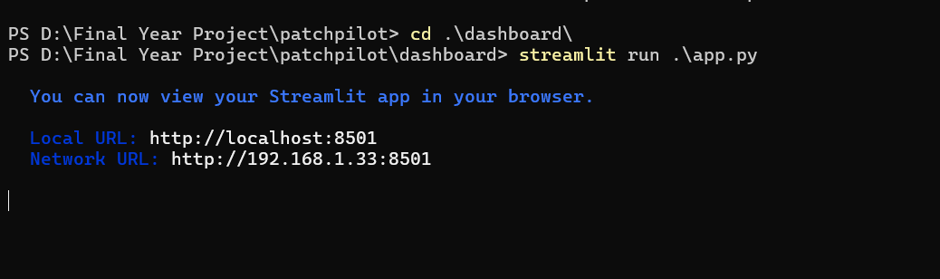
Dashboard Breakdown
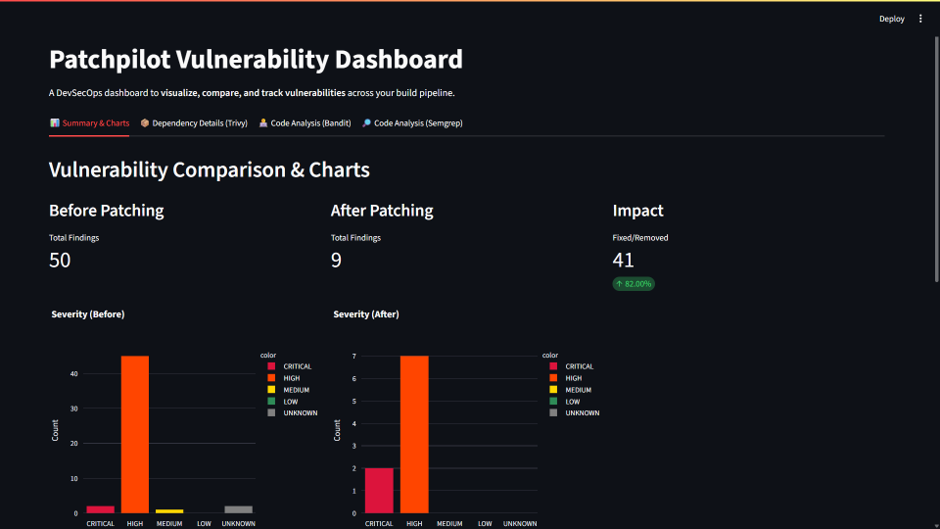
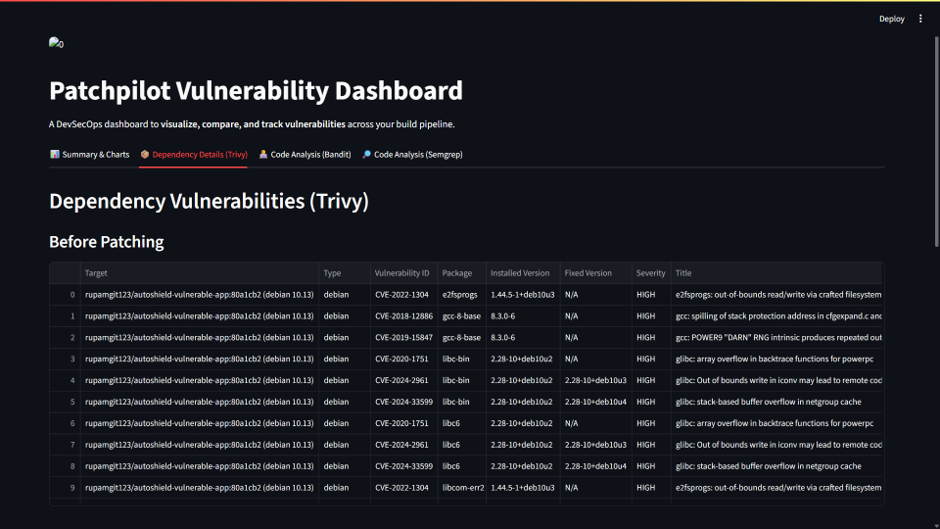
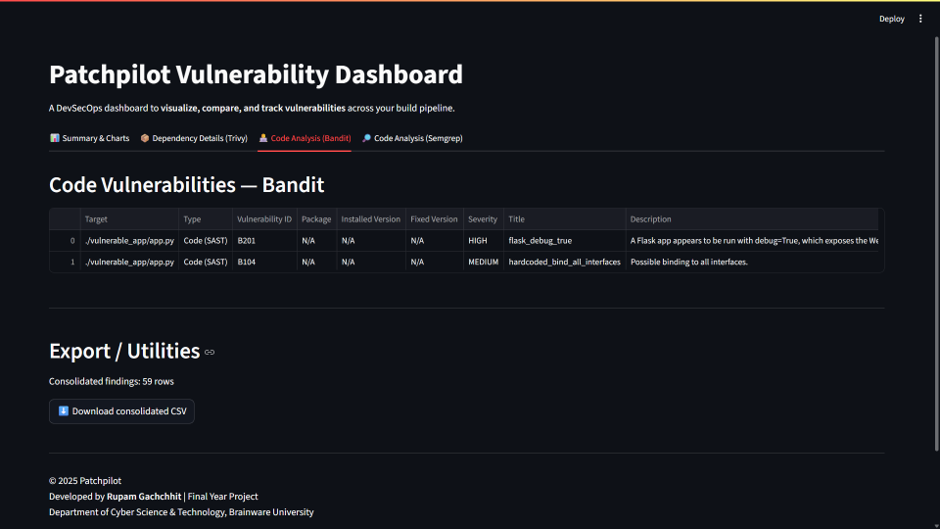
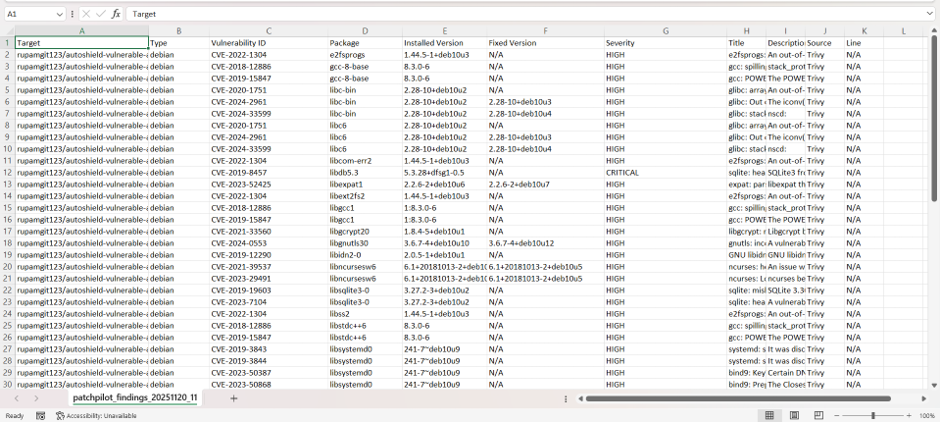
Our dashboard gives us incredible visual insight into the security posture of our application:
- Vulnerability Comparison: See the exact drop in high-severity vulnerabilities before and after our auto-patcher ran.
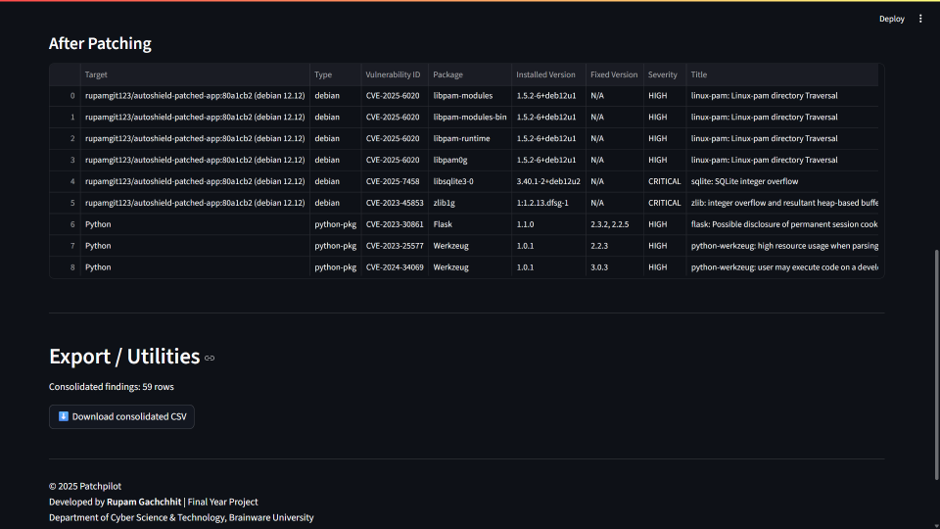
- Trivy Dependencies: The pipeline automatically updated the base Docker image from Debian Buster to Bookworm, wiping out a vast majority of OS-level CVEs.
- Bandit & Semgrep Results: Identify exact lines of code where XSS vulnerabilities and unsafe Flask setups were located (and patched!).
You can even download a consolidated CSV file of all findings for your compliance team!

Results & Analysis
Through automated pipeline execution, PATCHPILOT significantly improved the security of the test application:
- OS Vulnerabilities: By automatically swapping the Docker base image (
python:3.8-slim-buster$\rightarrow$python:3.11-slim-bookworm), massive amounts of CRITICAL and HIGH severity CVEs were eliminated. - Code Security: Our rule-based patcher automatically wrapped vulnerable variables in
escape()to prevent Reflected XSS, and safely re-enabledautoescapeinside Jinja2 templates. - No Developer Friction: The entire process—from detection to remediation to reporting—occurred seamlessly on
git push.
Conclusion
PATCHPILOT marks an important step toward building an intelligent DevSecOps pipeline. By combining the powers of GitHub Actions, Trivy, Bandit, Semgrep, and custom Python remediation scripting, we successfully built a system where security truly evolves with every commit.
While rule-based patching has limitations with complex business-logic flaws, this framework removes a massive amount of technical debt and foundational security vulnerabilities without slowing down developer velocity.
Have questions about implementing this in your own CI/CD pipeline? Drop a comment below!